Self-Hosting: What It Is and How to Start in 2026
Self-hosting explained in plain English: what it means to run your own apps, why people do it, what you can realistically host, and how to start with one.
⚡ In One Sentence
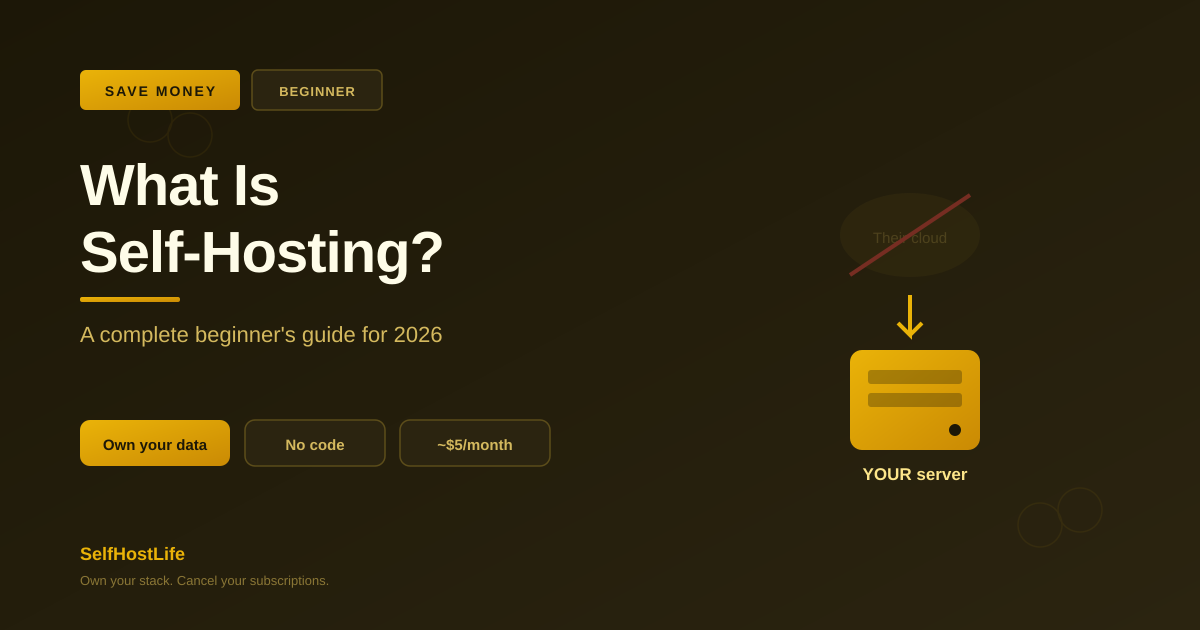
Self-hosting means running apps and services on a server you control — instead of renting them from companies like Google, Dropbox, or Notion. You get your data back, you stop paying monthly subscriptions, and in 2026 it’s easier than it has ever been.
So what is self-hosting? At its simplest, you run your own software on your own server rather than logging into someone else’s. When you use Google Drive, your files live on Google’s computers under Google’s rules. When you self-host the equivalent, those same files live on a server you control. That’s the whole idea — and this guide explains what it means, why people do it, what you can realistically run, and how to take your first step without a computer-science degree.
What Is Self-Hosting, Really?
Almost every app you use daily is ‘hosted’ by a company. Your email, your notes, your photos, your password manager — they all run on servers owned by Google, Apple, Microsoft, or a startup. You log in over the internet and use the service. In exchange, that company controls your data, sets the price, and decides which features you get.
Self-hosting flips that. You take an open-source version of the same kind of app, install it on a server you rent or own, and run it yourself. The app is yours. The data is yours. The rules are yours.
A concrete example: instead of paying for Dropbox, you run Nextcloud on a small server. It does the same thing — file sync, sharing, mobile apps — but your files never touch a third party, and there’s no monthly fee for the software.
💡 The 2026 difference: Self-hosting used to mean a noisy computer in a closet and hours of Linux wrangling. Not anymore. Docker made installing apps a one-command job, open-source alternatives have matured to rival the paid versions, and a $4-6/month cloud server is enough to run 5-10 services. The barrier today is mostly curiosity, not expertise.
Why Do People Self-Host? The Real Reasons
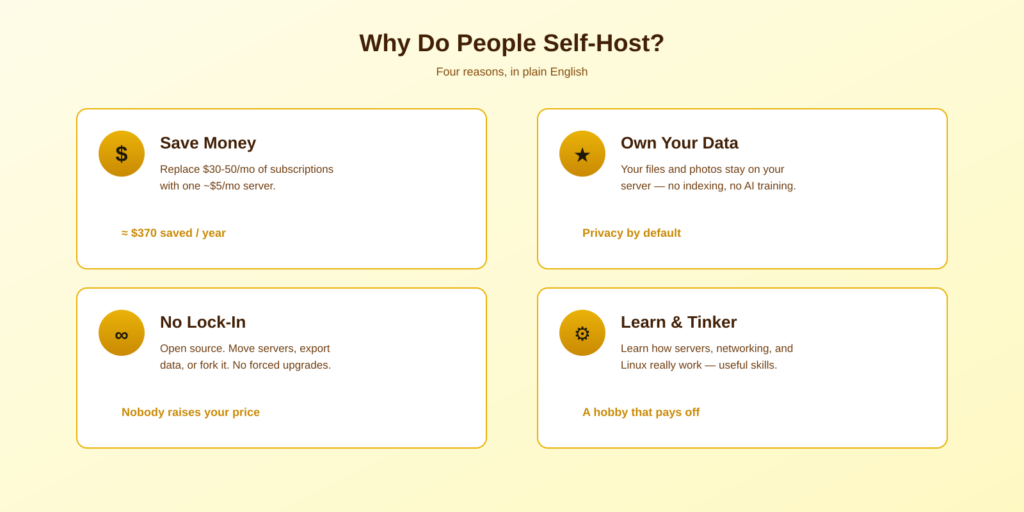
1. Save money
Subscriptions add up fast. A typical stack — cloud storage, photo backup, password manager, notes — runs $30-50/month. Self-hosted equivalents cost about $5/month for the server that runs all of them. We break down the exact numbers in does self-hosting actually save money — a typical $456/year stack drops to about $84/year, saving roughly $370.
2. Own your data
When you self-host, your files, photos, and notes live on your server. No company indexes them, sells insights from them, or trains AI models on them. In 2026, with AI companies increasingly training on user data by default, this reason has moved from idealistic to practical.
3. Escape vendor lock-in
SaaS companies change pricing, kill features, or shut down entirely. Self-hosted apps are open source — you can move servers, export your data in standard formats, or keep running an old version as long as you like. Nobody can raise your price or take a feature away.
4. Learn and tinker
For many people, self-hosting is genuinely fun. You learn how servers, networking, and Linux actually work — skills that transfer directly to tech careers. The hobby and the practical payoff overlap.
What Can You Actually Self-Host?
Almost any category of app you pay for has a mature self-hosted alternative in 2026. The most popular starting points:
| Instead of… | Self-host… | Does |
|---|---|---|
| Dropbox / Drive | Nextcloud | File sync & share |
| Google Photos | Immich | Photo backup |
| 1Password | Vaultwarden | Passwords |
| Netflix-style library | Jellyfin / Plex | Media streaming |
| Notion | AppFlowy | Notes & docs |
That’s just the start. See 10 self-hosted apps that replace SaaS subscriptions for the full beginner-friendly list, or compare the two media servers in Jellyfin vs Plex.
What You Need to Start Self-Hosting
Less than you’d think. There are two paths, and you only need one:
Path A: Rent a VPS (easiest start)
A VPS (Virtual Private Server) is a small cloud computer you rent for about $4-6/month. No hardware to buy, accessible from anywhere, running in minutes. This is the recommended starting point for most beginners. Our $5 VPS step-by-step guide walks you through it from zero, and the Hetzner vs Contabo vs Vultr comparison helps you choose a provider.
Path B: Home hardware (more control)
Prefer everything at home? A mini PC or a NAS runs apps locally and stores your data on hardware you own. Higher upfront cost, but no monthly server fee and unlimited local storage.
Either way, you’ll also use Docker (free software that makes installing apps a single command) and about an hour for your first setup. No coding required — if you can follow a recipe and paste commands, you can self-host.
How to Start Self-Hosting: A Beginner’s Roadmap
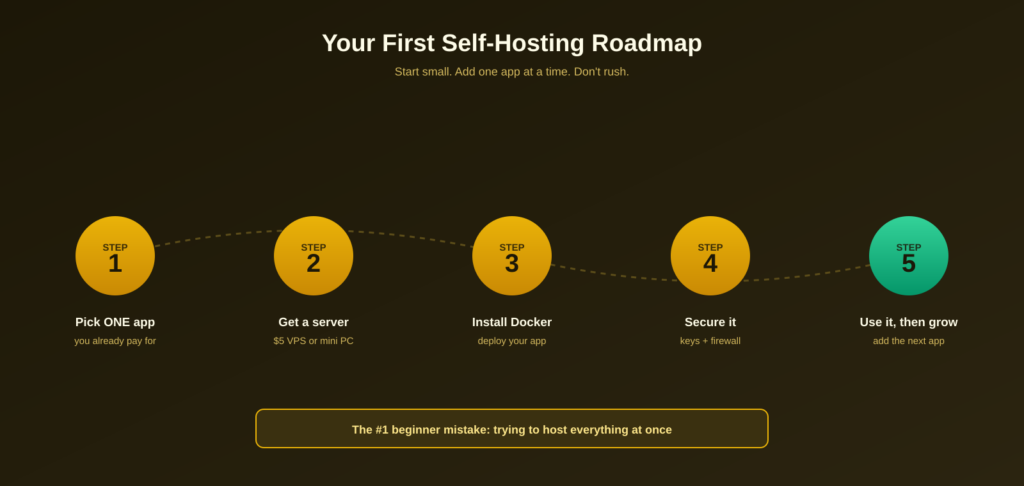
The single biggest mistake beginners make is trying to host everything at once. Don’t. Follow this phased path instead:
STEP 1 Pick ONE app you already pay for — Vaultwarden (passwords) is the ideal first project: small, useful, and runs on the cheapest server.
STEP 2 Get a server — Rent a $5 VPS, or repurpose a mini PC. You don’t need anything powerful to start.
STEP 3 Install Docker and deploy your app — One command installs Docker; a short config file runs your app. Follow a guide the first time.
STEP 4 Secure it before trusting it — SSH keys, a firewall, and fail2ban take 30 minutes and block almost all attacks.
STEP 5 Use it for two weeks, then add the next app — Once your first app runs reliably, cancel that subscription and repeat. Grow gradually.
When you reach Step 4, our server security guide covers exactly what to do.
The Honest Trade-Offs of Self-Hosting
Self-hosting isn’t free of cost — it’s a trade. Know what you’re signing up for:
- You become the IT department. Updates, the occasional broken app, and troubleshooting are now yours. Budget 1-2 hours a month once things are stable.
- Backups are mandatory. No company is keeping a copy for you. Automate backups from day one, or a disk failure means lost data.
- Uptime depends on you. Self-host on home internet and an outage takes your services down. A VPS avoids this with datacenter reliability.
⚠️ Be honest with yourself. If tinkering sounds fun, these trade-offs are part of an enjoyable hobby that also saves money. If they sound like a chore you’d resent, start with just one low-stakes app (like a password manager) before committing your whole digital life.
Is Self-Hosting Worth It in 2026?
For most curious people: yes — if you start small. The savings are real (around $370/year for a typical stack), the data ownership is genuine, and the skills you pick up are valuable. The risk is only large if you try to migrate everything overnight. Begin with one app, keep the subscription running alongside it for a couple weeks as a safety net, and expand only when you’re comfortable.
If you’d genuinely hate maintaining a server, or you need guaranteed uptime for something critical, self-hosting may not be your best choice — and that’s a perfectly valid answer too.
Frequently Asked Questions About Self-Hosting
What is self-hosting in simple terms?
Self-hosting means running apps and services on a server you control instead of using a company’s cloud service. For example, instead of storing files on Dropbox, you run your own Nextcloud server. Your data stays on your hardware, under your rules, with no monthly software fee.
Is self-hosting hard for beginners?
Not as hard as it sounds in 2026. Docker turned app installation into single commands, and most beginners get a first app running in about an hour by following a guide. You don’t need a computer-science degree — if you can paste terminal commands and follow directions, you can self-host.
Is self-hosting cheaper than subscriptions?
Usually, yes. A typical SaaS stack costs $30-50/month, while a server that runs self-hosted equivalents costs about $5/month — saving roughly $370/year. The main hidden cost is your time for setup and maintenance, around 1-2 hours per month once stable.
What is the easiest thing to self-host first?
Vaultwarden, a password manager compatible with all Bitwarden apps. It’s a single lightweight container, immediately useful, runs on the cheapest server, and teaches you the whole self-hosting workflow without being overwhelming.
Do I need my own hardware to self-host?
No. The easiest path is renting a VPS (a small cloud server) for about $4-6/month — no hardware to buy and accessible from anywhere. Home hardware like a mini PC or NAS is an option if you prefer to own everything, but it’s not required to start.
Is self-hosting safe and secure?
It can be, if you follow basics: SSH keys, a firewall, fail2ban, and not exposing services directly to the internet. These steps take about 30 minutes and block the vast majority of automated attacks. Self-hosted apps aren’t inherently less secure than SaaS — the responsibility just shifts to you.
What can you not self-host?
You can self-host most productivity, storage, and media apps. What’s harder: services that depend on massive scale or proprietary data (like a full search engine or a global mapping service), and anything where you genuinely need guaranteed enterprise uptime. For everyday personal apps, though, there’s almost always a self-hosted option.
The Bottom Line — Start With One App
💡 Takeaway: Self-hosting in 2026 means running your own apps on your own server — saving money, owning your data, and escaping subscription lock-in. It’s more approachable than ever thanks to Docker and cheap VPS servers. Don’t try to self-host everything at once. Pick one app you already pay for, get a $5 server, secure it, and grow from there.
Ready for your first step? Start with the $5 VPS self-hosting guide, browse 10 apps worth self-hosting, or check whether it’ll actually save you money first.
About This Guide
This beginner’s guide reflects the state of self-hosting in 2026:
- Current VPS pricing ($4-6/month entry tier) verified across Hetzner, Vultr, and DigitalOcean
- The ‘start with one app and grow’ approach recommended consistently across the self-hosting community
- Maintenance-time and resource estimates (1-2 hours/month, 5-10 apps on a 4GB server) cross-referenced across multiple 2026 guides
- Every linked guide on this site is tested on real infrastructure
Self-hosting tools evolve quickly — always check current documentation for your chosen apps.
New to all this and have a question? Email hello@selfhostlife.com — no question is too basic.
Product links on this site are plain links. We earn nothing from them — see our disclosure policy.